
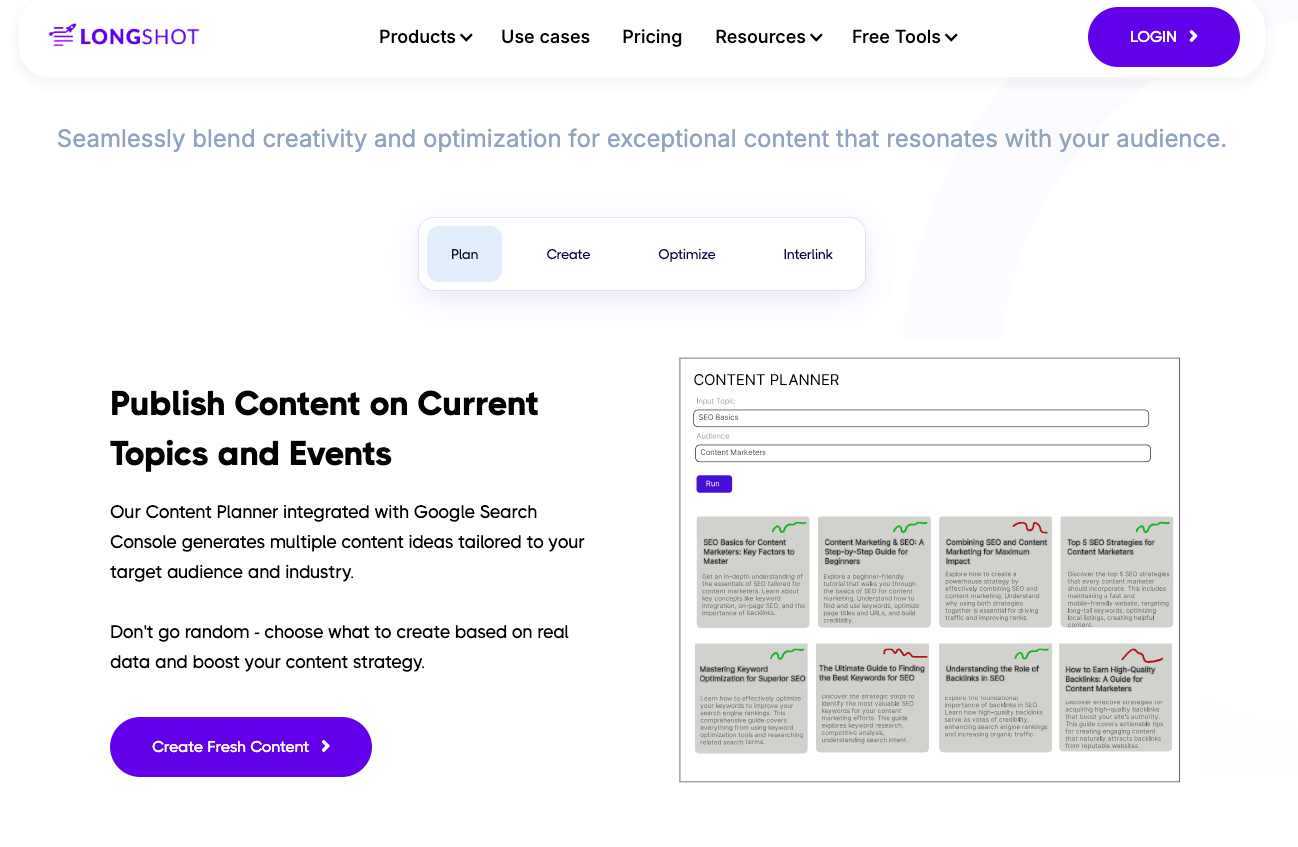
Ever feel like content creation is becoming a nonstop challenge? With constant SEO updates and the pressure to produce high-quality, accurate content, it can start to feel overwhelming.
Consider trying LongShot AI. This is a tool that not only generates content but also ensures it’s grounded in accuracy. LongShot AI is designed for marketers, researchers, and content creators who need accurate, long-form content. It combines AI writing with real-time fact-checking, ensuring reliable and trustworthy results making it ideal for those covering current events or detailed topics.
In this LongShot AI review, I’ll highlight what makes this tool unique: its key features, pricing, and how it tackles accuracy in a way other AI tools don’t.
If you’re also interested in exploring other AI writing tools, check out my posts on Hypotenuse AI or Junia AI for bulk content generation. You might also find my list of the Best AI Writing Assistants helpful as a guide to choose the right tool for your needs.
LongShot AI Review: What Is This Tool All About?
LongShot AI is an AI writing tool that doesn’t just pump out fluff but delivers fact-checked, contextually rich, and authoritative long-form content. That’s LongShot AI in a nutshell.
Whether you’re crafting blog posts, in-depth articles, or reports, LongShot AI’s intuitive design and beginner-friendly interface make it easy to hit the ground running. No steep learning curve. No gimmicks. Just reliable content creation at your fingertips.
Key Features of LongShot AI
1. User-Friendly Interface
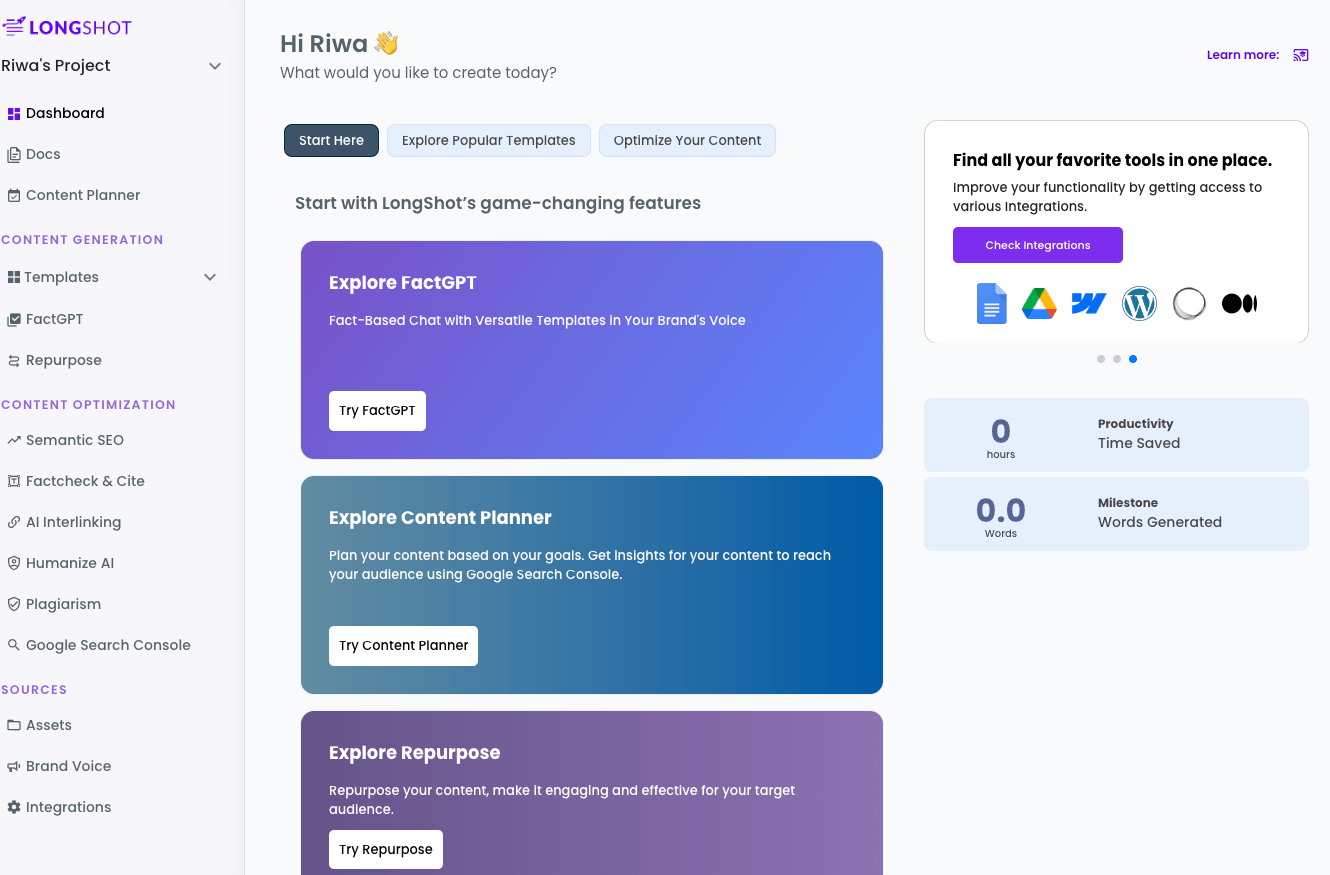
LongShot AI keeps it simple with a clean, intuitive dashboard that’s easy to navigate—even for beginners.
- Intuitive Design: Everything is where you need it, no guesswork required.
- Guided Tutorials: Helpful tips and walkthroughs guide you every step of the way.
You judge for yourself by looking at this straight forward dashboard:
2. Fact-Checked Content Generation
- Accuracy: LongShot’s AI integrates with live data to ensure that generated content is not only relevant but also accurate.
- Citations: The tool scans credible sources and provides citations, making it invaluable for industries like healthcare, finance, or education.
One notable feature I want to highlight in this LongShot AI review is how this tool fact-checks entire posts. It labels claims as true or false, provides clear reasoning with citations, and even suggests helpful links. If a claim turns out to be false, it flags it immediately. See below:

3. Topic Research
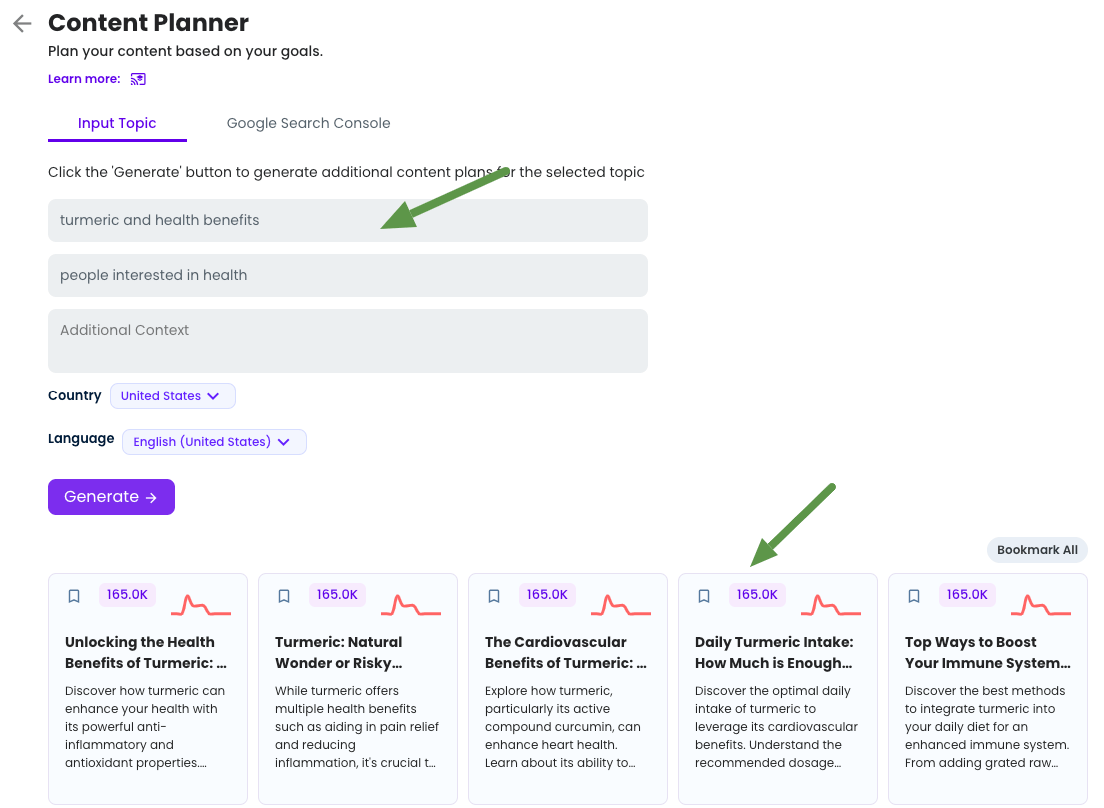
- Comprehensive Overview: Input a keyword or topic, and LongShot AI provides a detailed overview, including trending subtopics, FAQs, and related ideas.
LongShot AI’s Content Planner shows how popular a keyword is, like 165K searches per month, and suggests related topics and trends to help you create content people are searching for:
- SEO Alignment: Helps users identify high-value keywords and relevant subtopics for better search engine rankings.
4. SEO Optimization
- Built-In Tools: LongShot AI’s built-in keyword optimization ensures your content aligns with SEO best practices.
- Additional Features: Includes suggested keywords, meta description generation, and readability scoring.
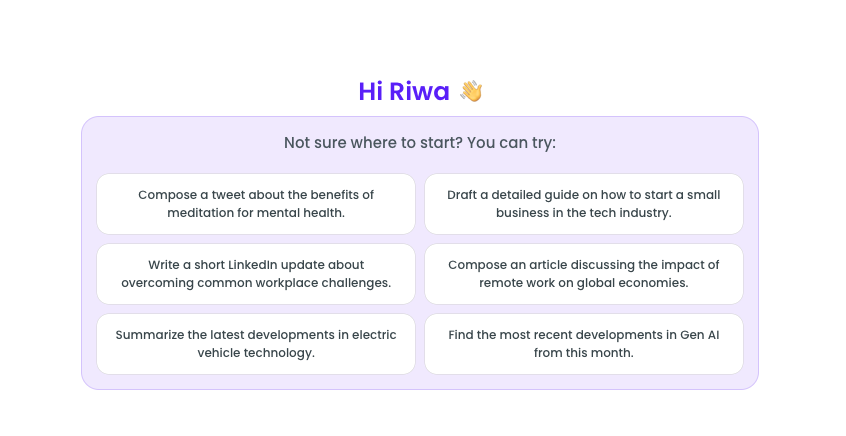
5. FactGPT
- Advanced Research: FactGPT combines research and writing into one seamless workflow.
- User Interaction: Ask specific questions or request summaries of complex topics, complete with citations.
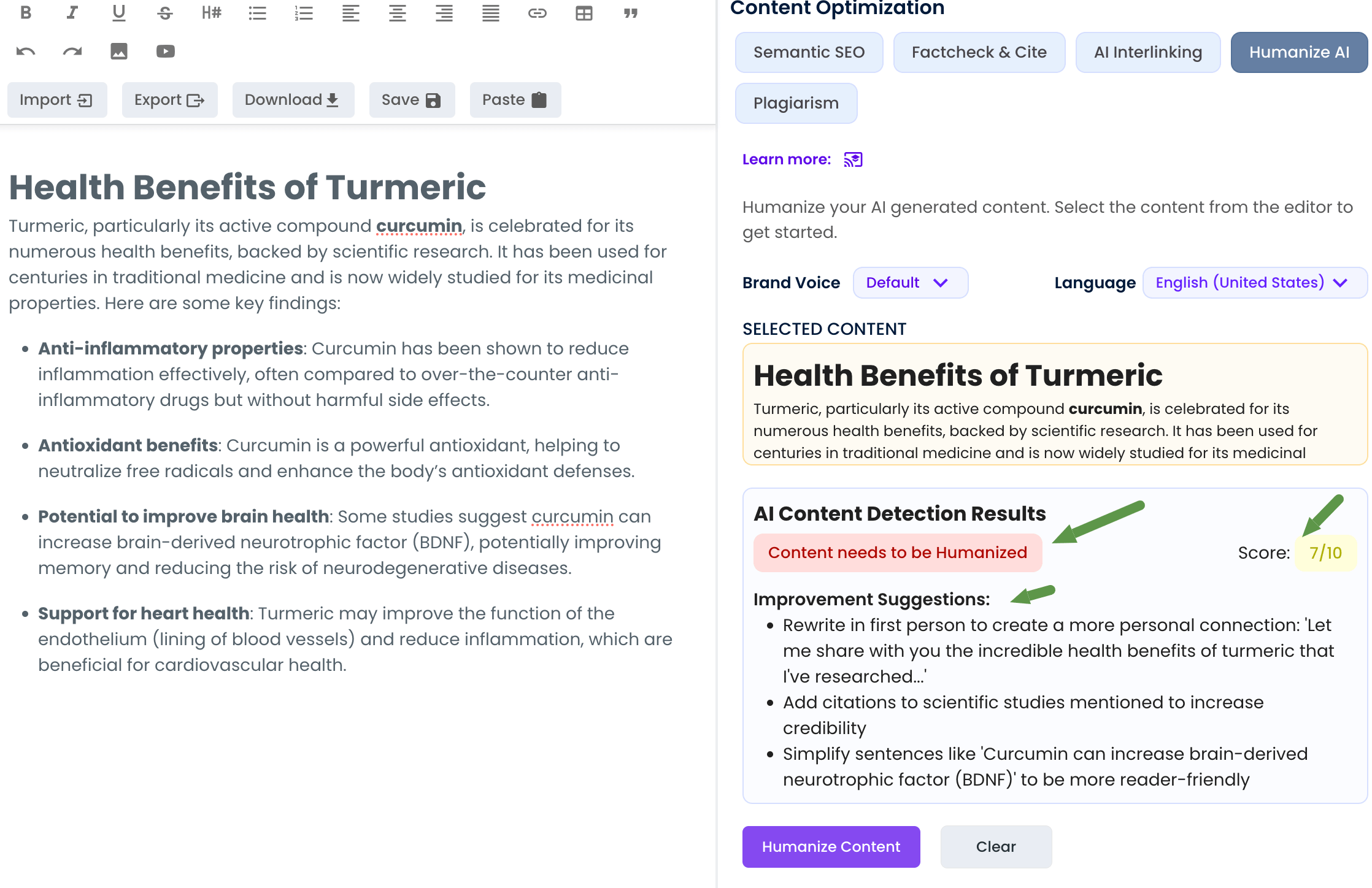
6. Humanize AI:
- Natural Tone: Converts AI-generated content into engaging, human-like language to improve readability and relatability.
- Authenticity: Refines text to pass AI detection tools, ensuring it feels like it was written by a person.
Below is feedback in action. It provides targeted suggestions like rewriting in the first person for a personal touch, adding citations for scientific credibility, or simplifying complex sentences. It even offered to humanize the content on my behalf.
7. Long-Form Blog Wizard
- Step-by-Step Guide: The Blog Wizard walks users through creating long-form content, from topic selection to headline creation and paragraph structuring.
- Efficiency: Balances creativity and depth with speed.
8. Multi-Language Support
- Global Reach: Supports around 8 languages, making it ideal for international businesses and marketers.
9. Collaboration Tools
- Team Workflow: Teams can collaborate directly within the platform, streamlining processes for agencies and marketing teams.
- Version Control: Keeps track of edits and iterations for better project management.
10. Integrations
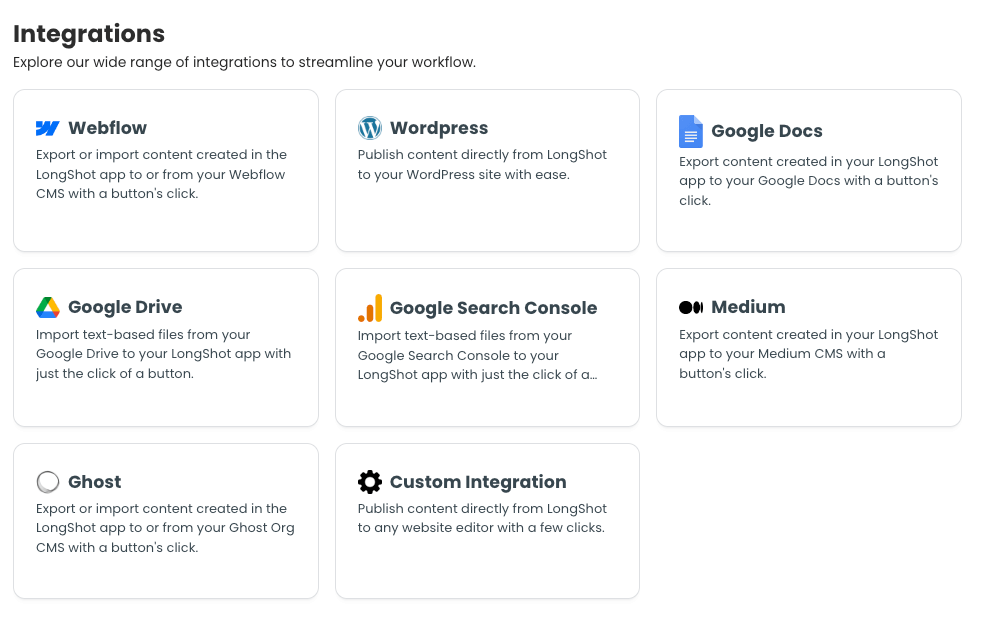
- Wide Compatibility: LongShot AI connects with platforms like WordPress, Medium, and HubSpot, making it easy to create and publish content.
- Streamlined Workflow: Connect tools like Google Docs, Grammarly, and SEMrush to enhance your writing process, from content creation to optimization and publishing. See below integration options:
Real World Applications and Use Cases
Pricing Plans
1. Premium Plan ($29/Month)
- Ideal for regular content needs.
- Includes 30-120 articles, 100-1,000 runs, and up to 10 seats.
- Access to advanced features: Content Planner, FactGPT, optimization tools, and team mode.
2. Pay As You Go Plan ($29 One-Time)
- Best for occasional use with no recurring costs.
- 20 AI articles (1-month limit), 200 runs, and 2,000 FactGPT credits.
- Unlimited projects, access to optimization tools, and valid for 2 years.
Key Difference: Premium is monthly; Pay As You Go is one-time with limited usage.
Check out the latest pricing on the LongShot AI website.
How Does LongShot AI Compare to Competitors?
Performance: Speed, Accuracy, and Efficiency
- Speed: I found LongShot AI to be efficient at generating content. Its citation checks make the process more thorough, which can make it feel slightly slower compared to tools like Jasper AI.
- Content Quality: It excels in producing accurate, high-quality long-form content, especially for niche topics that require fact-checking.
LongShot AI Review: Pros and Cons
Pros:
- ✅ Excellent for long-form and fact-checked content.
- ✅ Built-in SEO tools simplify content optimization.
- ✅ Intuitive interface with step-by-step workflows.
- ✅ Great value with an entry-level plan offering essential features for users at an accessible level.
Cons:
- ❌ Limited multi-language support compared to competitors, with only 8 languages: English, German, Polish, Dutch, Spanish, French, Italian, and Portuguese
- ❌ Advanced features require higher-tier plans.
- ❌ Collaboration features only available on Pro and Enterprise plans.
Final Thoughts: Should You Use LongShot AI?
So, why should you consider LongShot AI? If you’re creating long-form content that needs to be accurate, reliable, and well-researched, this tool could be the one you have been searching for.
As mentioned in this LongShot AI review, its unique features like FactGPT and the Long-Form Blog Wizard make content creation efficient while maintaining high standards of accuracy. Whether you’re working on a thesis, a blog post, or an in-depth article, LongShot AI ensures you’re producing top-tier, fact-checked content.
If you need a tool that combines ease of use with reliability, LongShot AI is definitely worth checking out.
