

Tools powered by artificial intelligence have significantly transformed content creation and increased productivity. After years of crafting proposals and documents, I’ve witnessed firsthand the dramatic shift these tools have brought about. In fact, understanding how to use AI writing tools, AI prompts, and AI image generators effectively has transformed my approach to content creation. These tools make it easier to piece together relevant information and achieve consistency and coherence and improve productivity.
In this beginner’s guide, will look at how to use AI writing tools effectively, whether you’re just starting out or looking to enhance your workflow.
Introduction – How to Use AI Writing Tools
According to 2024 AI marketing statistics, 85% of marketers report now using AI for article writing. Consequently, this growing trend highlights the increasing reliance on AI tools in content creation.
Whether you’re a seasoned professional or new to the field, this guide will help you understand how to effectively use AI writing tools. Grab a cup of coffee or tea, and let’s dive into the world of AI-powered writing.
What Are AI Writing Tools?
AI writing tools are smart assistants available 24/7, using advanced technology to help you create, improve, and perfect your content.
Overtime, writing tools started with simple spell-checkers but have advanced greatly since then. Today’s tools can handle everything from generating full blog posts to refining your writing style. Here are some popular types:
- Article Creators: Generate entire blog posts from just one prompt, making writing almost effortless.
- Social Media Content Creators: Design engaging posts for any platform, from Twitter to TikTok.
- SEO Optimizers: Enhance your content with keywords, SEO titles, and Meta descriptions to improve search engine rankings.
- Style Adjusters: Match your writing to any style, whether it’s brief and clear or detailed and elaborate. Simply, provide the tool with your preferred writing style, and it will adapt to match it.
- Idea Generator: Provide AI prompts to kickstart your creativity when you’re stuck.
- Content Makers: Create various types of content, from product descriptions to press releases.
- Grammar Fixers: Eliminate typos and refine your writing for a professional touch.
- Headline Creators: Craft catchy titles that grab attention.
- Paraphrasing Tools: Rephrase text while keeping its original meaning intact.
The best part? AI writing assistants like GPT are getting smarter by the day. I used them when they first came out and I noticed a huge difference. They continue to learn from millions of texts to offer more accurate and creative suggestions.
Best Tools for Beginners in 2024
Ready to explore the world of AI writing? Here are some of the coolest tools making waves in 2024:
- GPT-4: The all-in-one solution for your AI writing needs. In my opinion, this one is perfect for generating ideas and drafting content. Interestingly, the free version GPT 3.5 offers you the most for free compared to other writing tools.
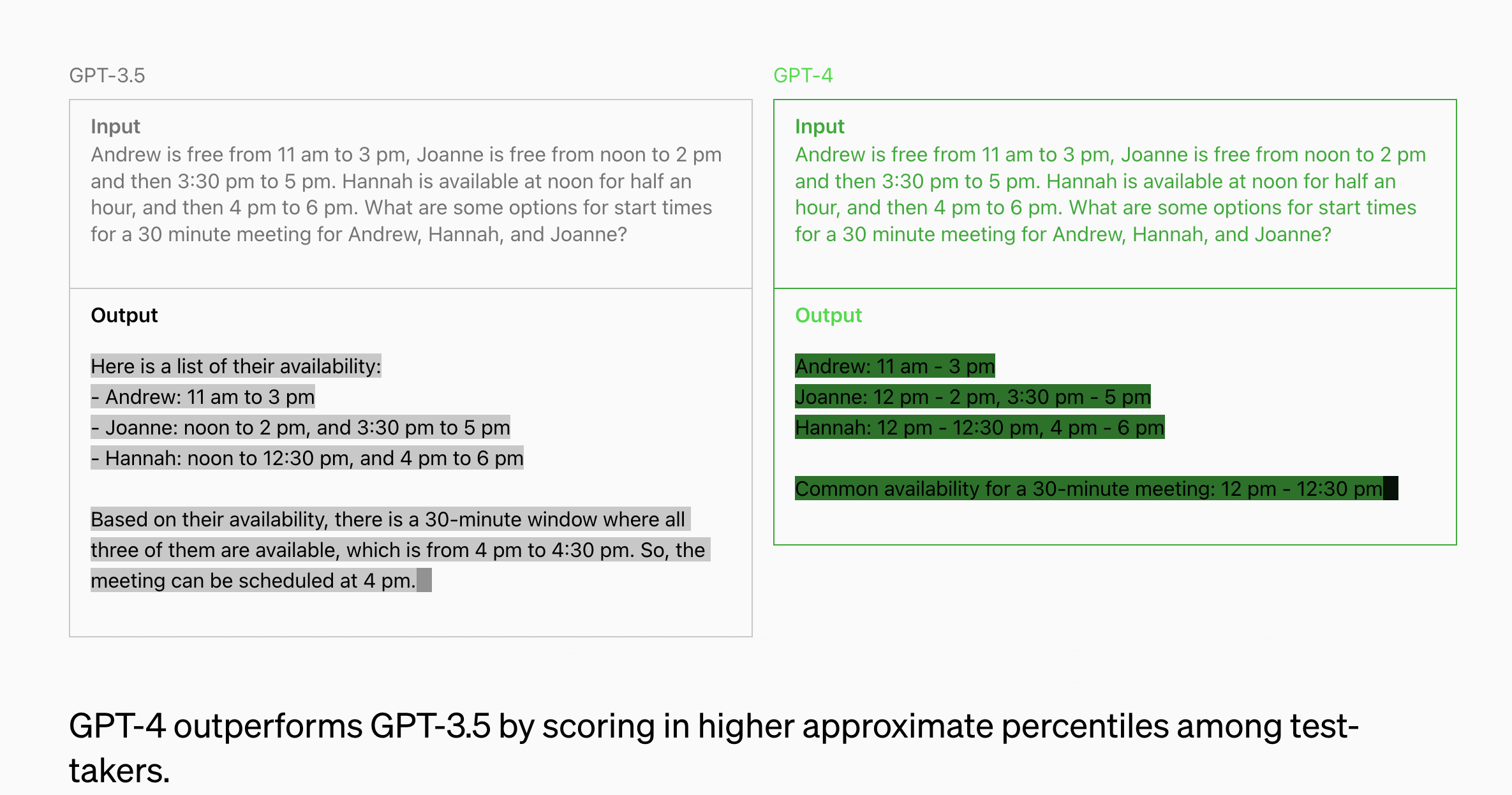
Screenshot comparison of GPT 3.5 and GPT 4
- Jasper: An AI writer that’s great for creating blog posts, social media content, and more.

- Copy.ai: Good for crafting catchy marketing copy and product descriptions.

- Grammarly: The go-to tool for grammar checks and style improvements.
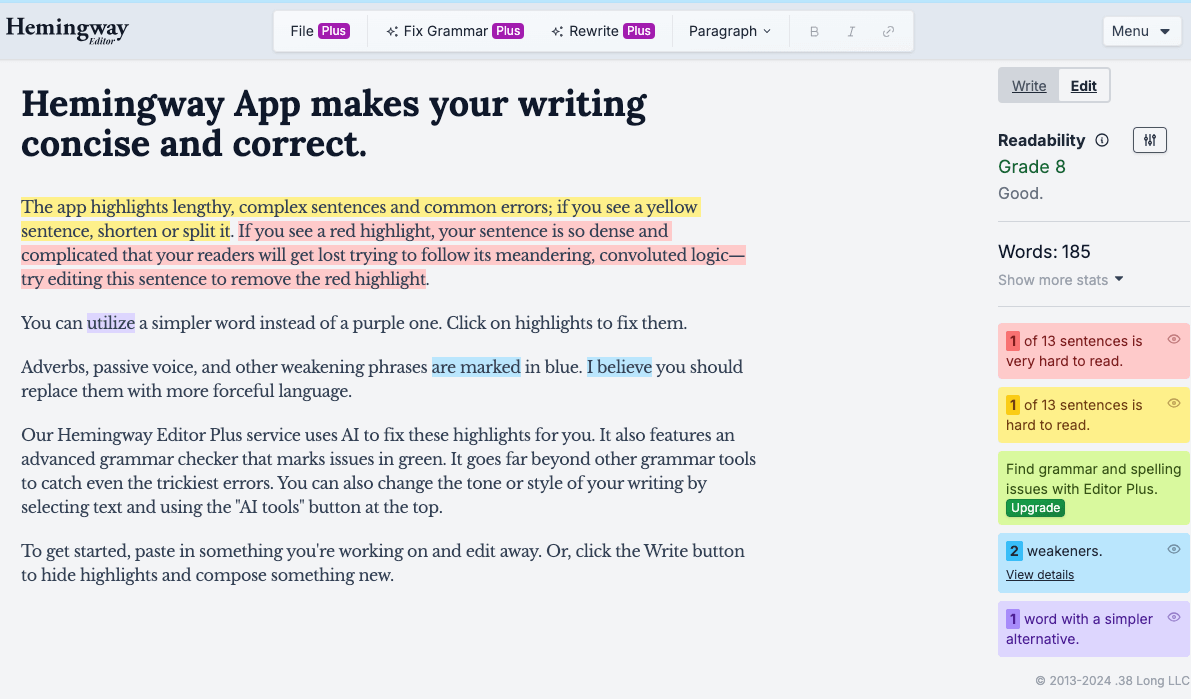
- Hemingway Editor: Fantastic for making your writing clear and concise.
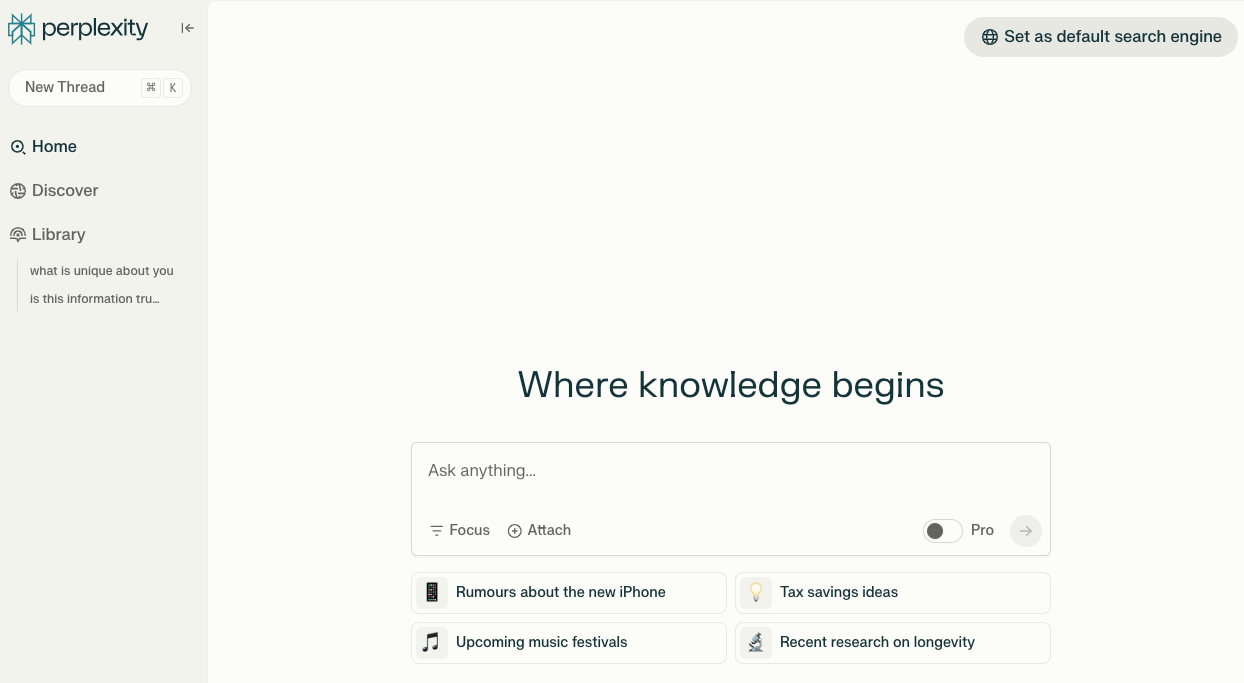
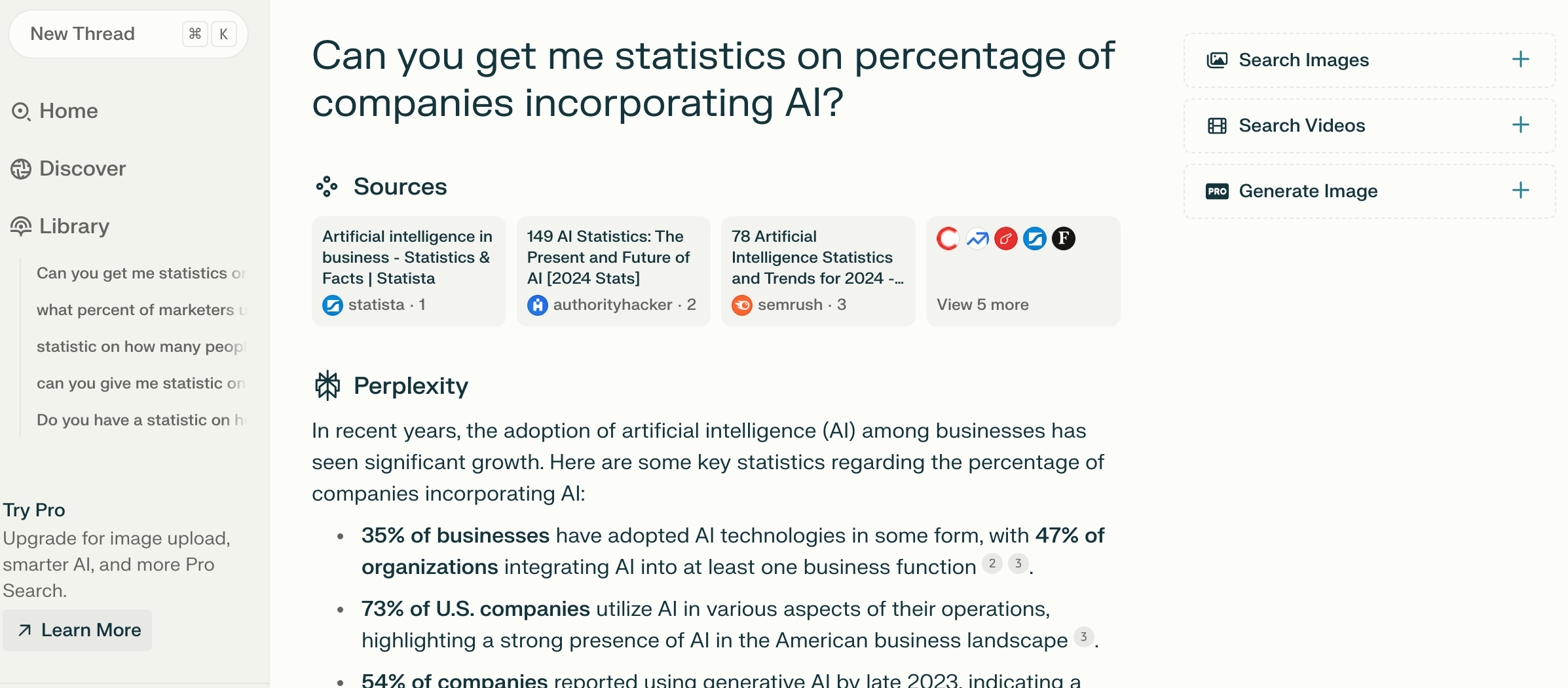
- Perplexity: Excellent for researching and grabbing data from the internet to support your writing.
- Microsoft Copilot: This tool is great because the free version allows you to write and create images. Additionally, it’s also integrated with Microsoft applications like Word. This enhances your writing process through drafting and content generation.
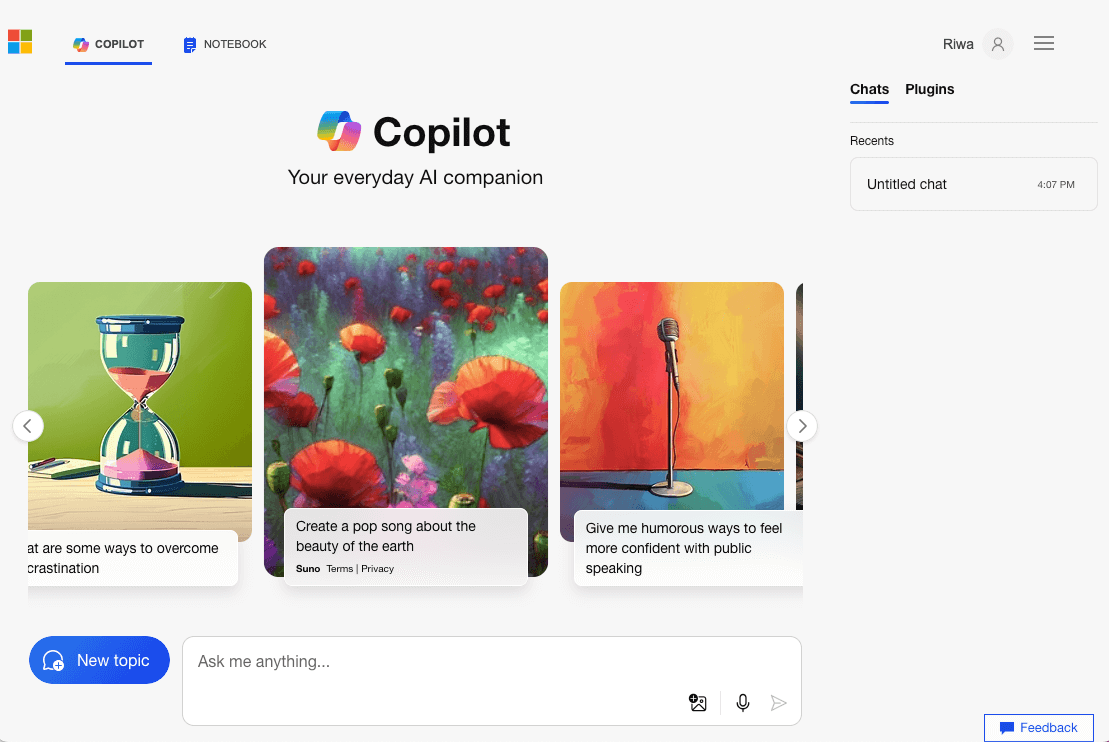
I think free tools are fantastic for getting started and exploring basic functionalities, but paid options often come with advanced features and superior output quality.
So, my recommendation? Begin with a free trial of a paid tool to assess its value and see if it meets your requirements.
Personally, I rely on various free tools such as GPT-3.5 for everyday tasks, Grammarly’s free version for polishing my writing, Perplexity for gathering references and valid resources, and Microsoft CoPilot for generating images for my posts. These free tools serve me well, but exploring premium options can further enhance your productivity and workflow.
Getting Started: How to Use AI Writing Tools Step-by-Step
Here’s a step-by-step guide to help you get started:
1. Choose Your Tool: For this guide, we’ll use GPT-3.5:
2. Sign Up for an Account: Register with your email and password. FYI: GPT’s Open AI allows you to start writing without signing in, but I recommend you sign in to save and organize your chats.
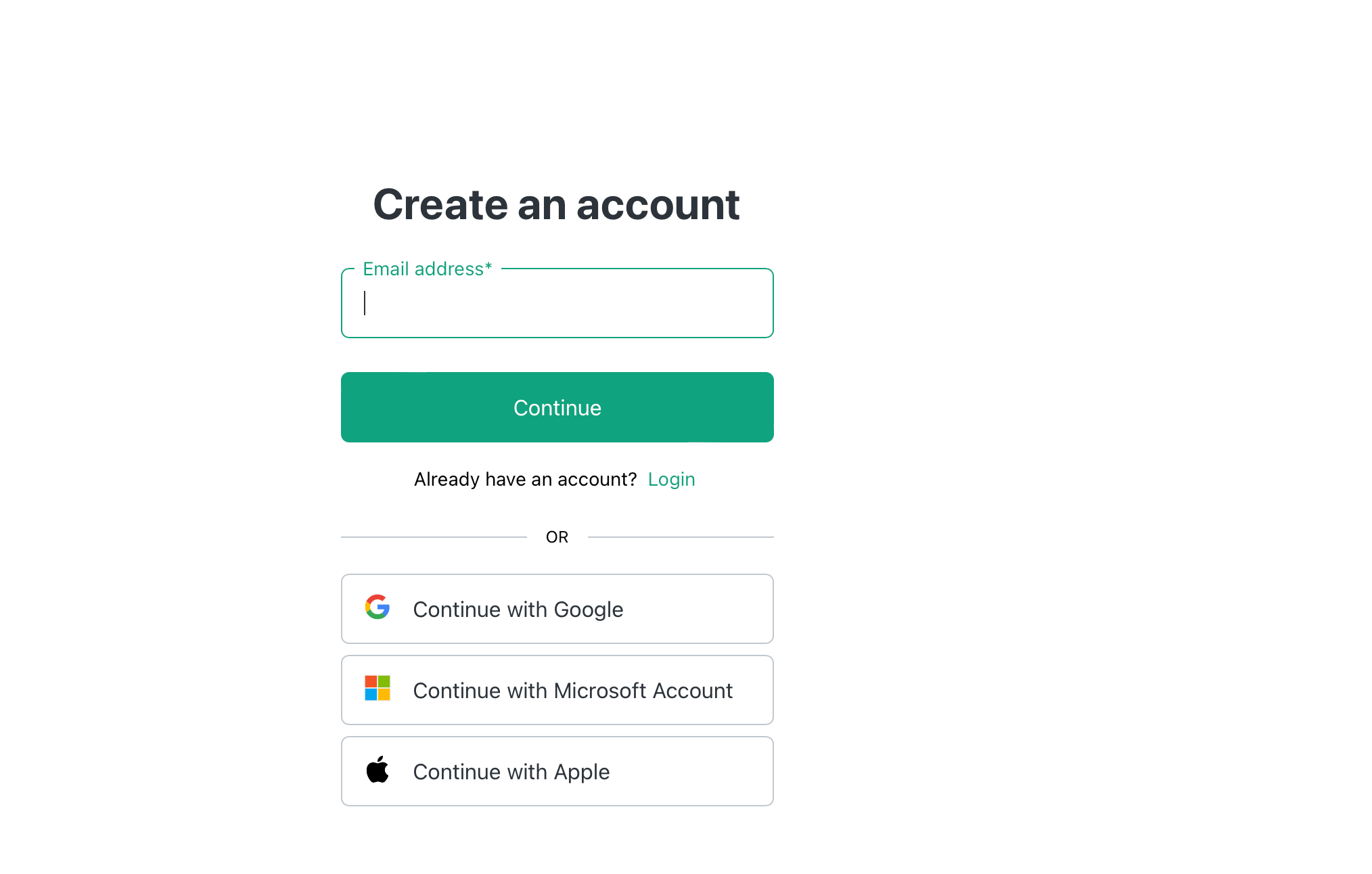
Screenshot of registration/login page
3. Explore the Dashboard: Familiarize yourself with the interface—click around and get comfortable. As you will see, it’s quite simple, you can start asking questions right away
4. Start a New Project: Select the type of content you want to create. For example, when starting a new project about dog food, you’ll notice that ChatGPT prompts you with follow-up questions based on your initial input, offering suggestions and refining the direction of your project.
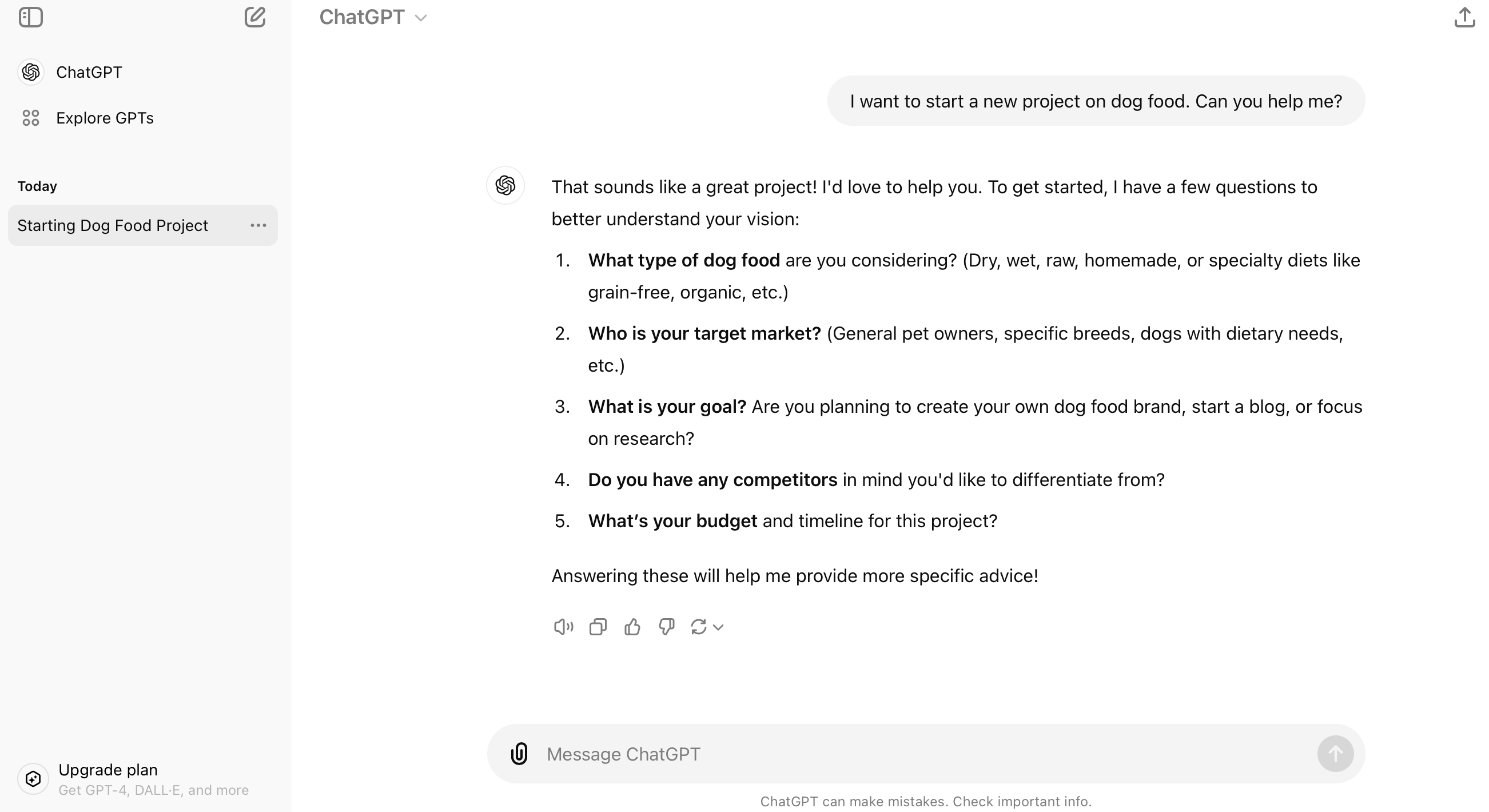
5. Input Your Topic or Keywords: Provide the AI with specific details about what you need.
For example, I entered, “I want information on dry dog food,” and ChatGPT responded with a list of key considerations for discussing dry dog food. I labeled this section “Starting Dog Food Project” to easily track and continue my work. This approach allows you to pick up where you left off and build upon your project over time.
I suggest avoiding mixing all topics in a single chat thread, as it can lead to confusion. Instead, use separate threads for different subjects or questions to maintain clarity and organization.
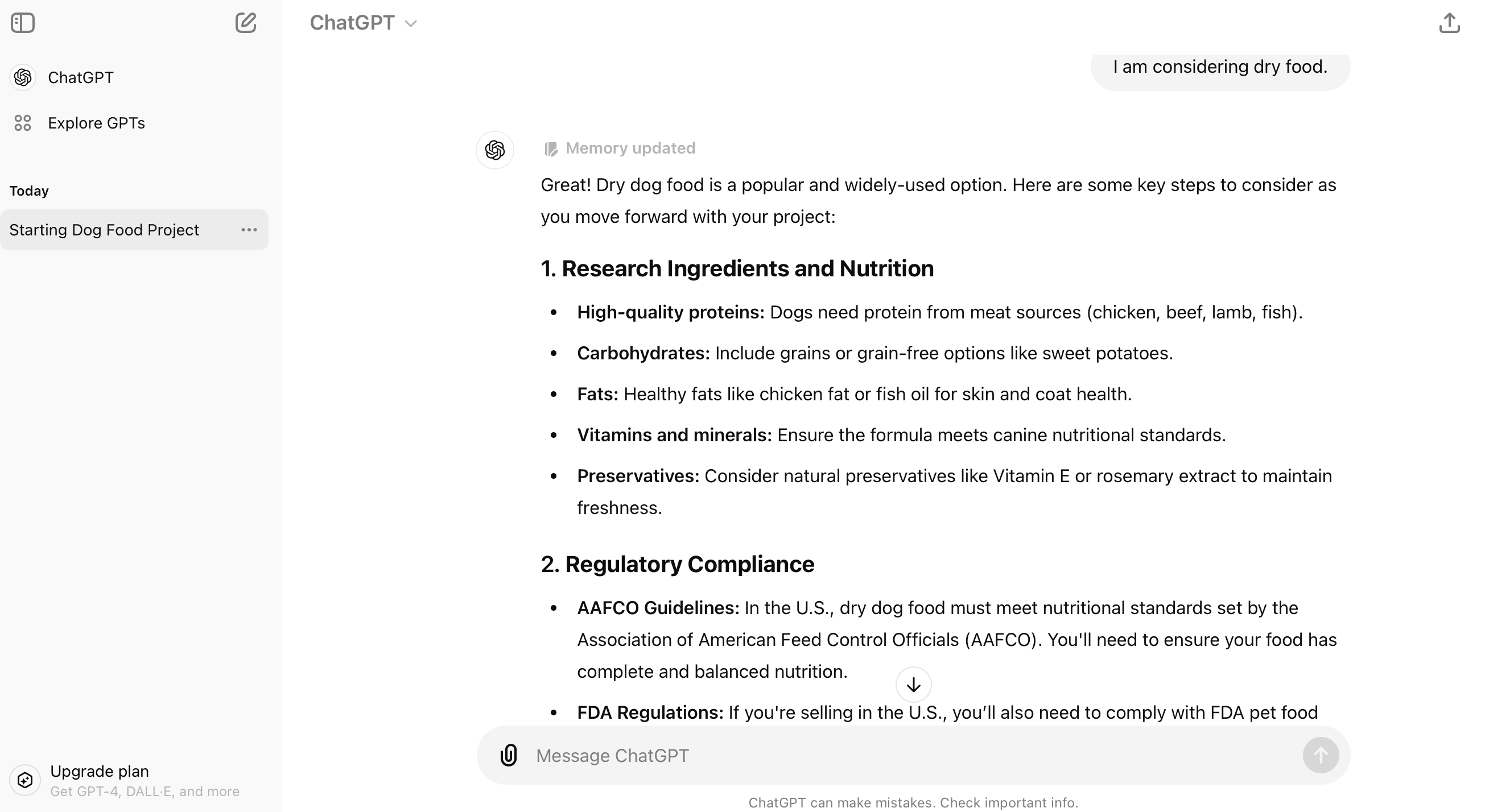
Screenshot of ChatGPT Assisting on Ideas
6. Craft a Specific Prompt: For example, “Write an introduction for a blog post about the benefits of yoga for beginners.”
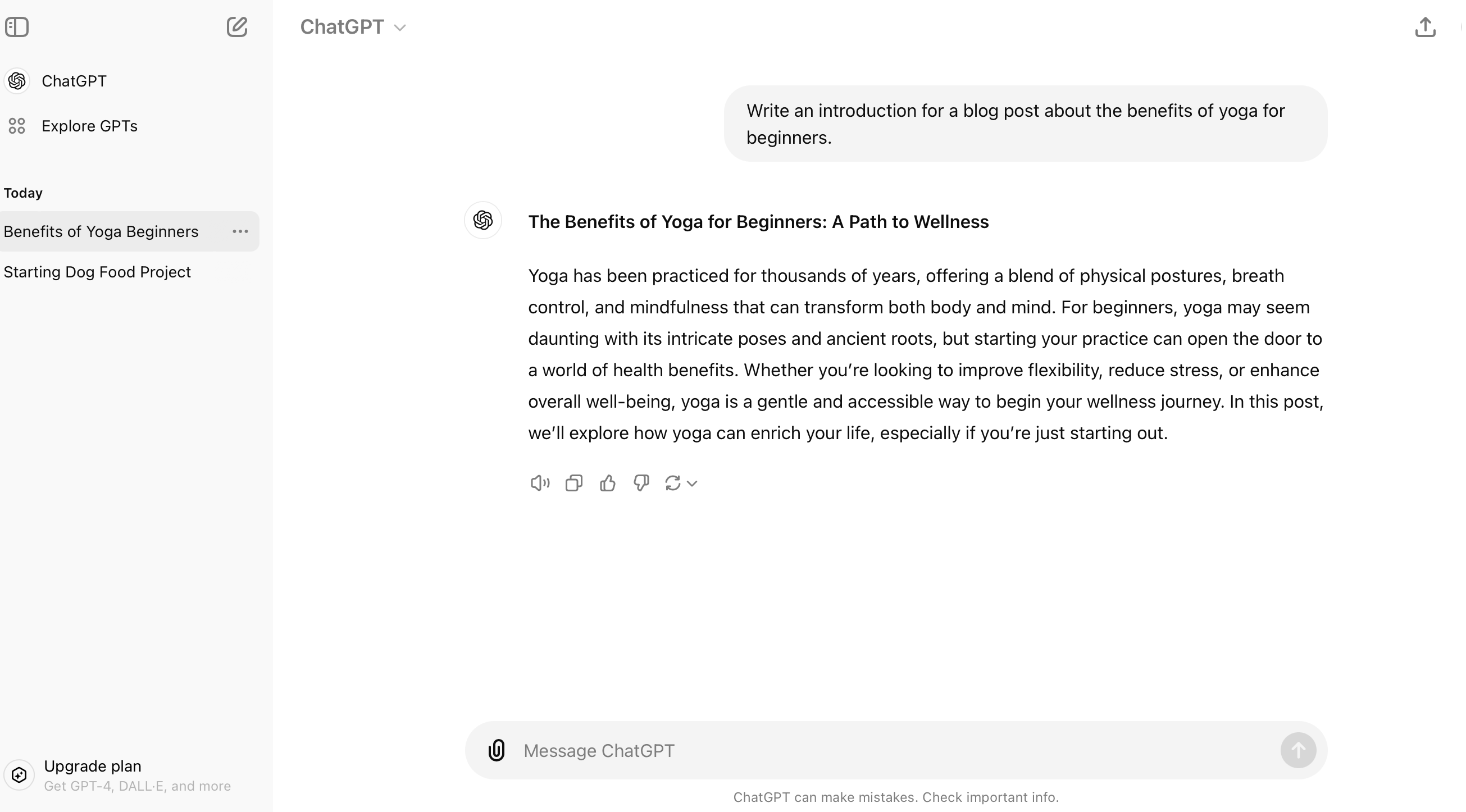
7. Generate Your Content: Let the AI create the text based on your prompt.
8. Review and Refine: Read through the output, make any necessary edits, and refine as needed.
9. Save Your Chats: Keep track of your work by saving important chats. Although GPT-3.5 doesn’t offer folder organization, you can use naming conventions or tags in your saved chat titles to make it easier to locate and revisit relevant conversations.
The key to effective AI-generated content is in crafting detailed and clear prompts. Be specific, provide ample context, and feel free to experiment with different approaches. By saving and organizing your chats thoughtfully, you’ll be able to efficiently build on past ideas, enhance productivity, and maintain a streamlined workflow.
Maximizing Output
Want to get the most out of your AI writing tool? Check out these pro strategies:
- Master AI Prompts: I use an AI prompt template to write. Instead of a vague prompt like “Write about healthy eating,” be specific: “Create a 500-word article detailing the nutritional benefits of a Mediterranean diet for improving heart health and managing weight.” You might even provide a detailed prompt to guide the AI more effectively.
- Use AI as Your Brainstorming Buddy: Generate a bunch of ideas and select the best ones to develop further.
- Fact-Check Like a Detective: AI can occasionally generate incorrect information. Verify crucial facts using tools like Perplexity for accurate references. Be aware that AI-generated facts, especially with GPT-3.5, might not always be reliable.
- Infuse Your Unique Flavor: Tailor the AI-generated content to match your voice and style. Provide examples of your writing style and ask the AI to emulate it.
- Leverage AI for Research: Use the tool to outline key points on a topic, then build on these with your insights and expertise.
Solutions for Content Types
One size doesn’t fit all in the content world, and AI tools are flexible enough to help with various types:
- Blog Posts: Use AI writing prompts to generate outlines or overcome writer’s block.
For the example below, I gave this prompt “I want to create an infographic that showcases various types of AI writing tools for a blog post. Please provide a detailed description or outline for the image, including the types of AI writing tools to feature and how they should be visually represented. Include recommendations for icons or graphics for each tool, color schemes, and design style to ensure the infographic is engaging and effective.”
The rest of the details in the prompt can be seen in the screenshot below. You will see a detailed response from Claude.ai based on my prompt.
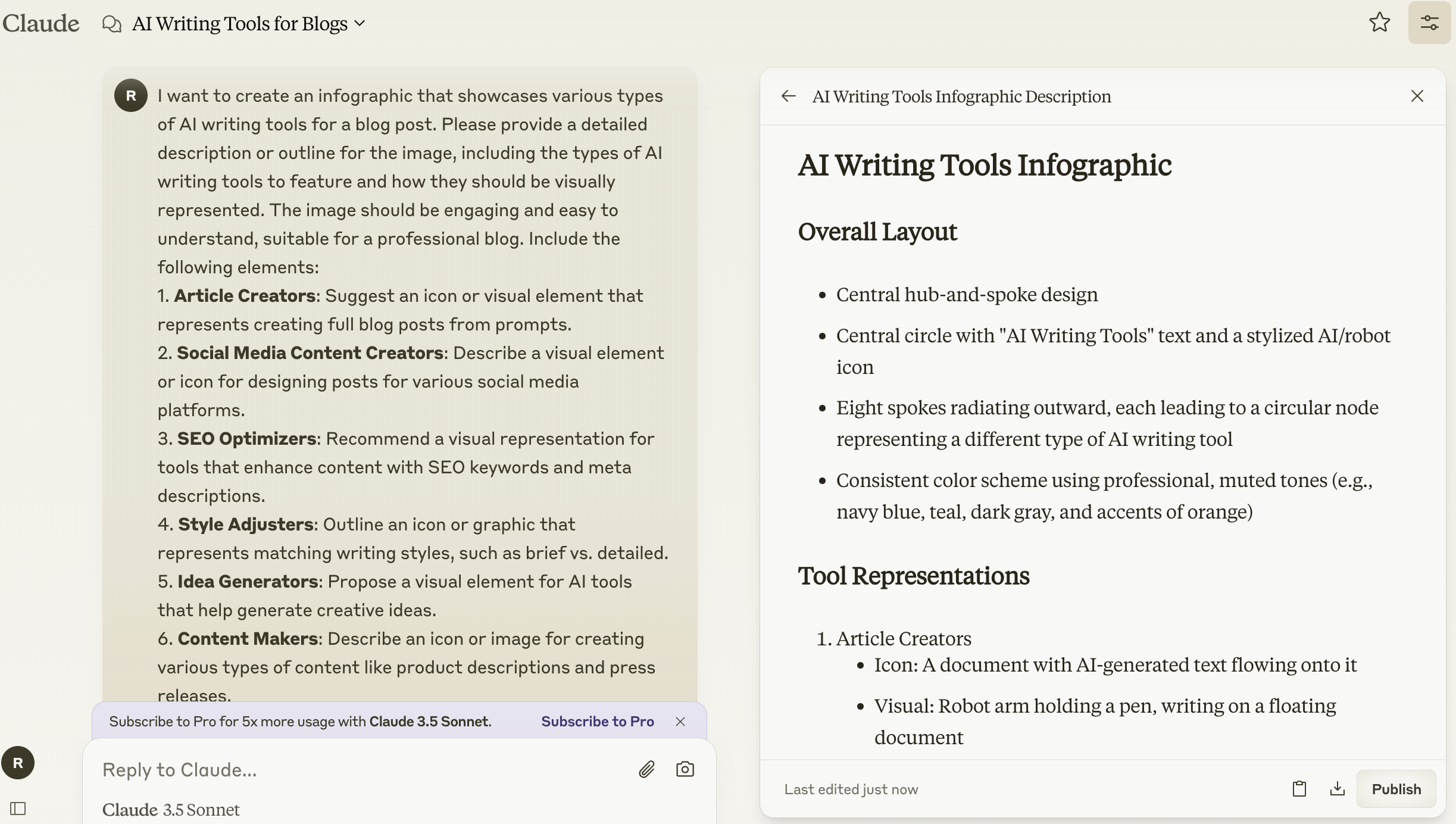
Screenshot of AI Response from Claude for Outline
- Social Media: Create a month’s worth of engaging posts in minutes.
- Emails: Craft subject lines that get opened and personalized body content that converts.
- Long-form Content: Generate research summaries or chapter outlines for your next ebook.
For example, when crafting a comprehensive blog post, you might use an AI-driven content strategy tool to plan your topic clusters, Jasper to create an outline, GPT-4 to expand on key points, and Grammarly for the final polish. It’s like working with a purely digital content team.
Ethical Considerations and Best Practices

With great power comes great responsibility, right? Here’s how to use AI writing tools ethically:
- Always disclose when you’ve used AI assistance in your content.
- Don’t depend solely on AI; use it as a tool to complement your expertise.
- Watch out for any biases in AI-generated content and make sure to address them.
- Follow copyright laws; be cautious with AI-generated content based on copyrighted material.
Remember, your readers value your authentic voice and expertise. Use AI to enhance your writing, not to replace your unique perspective.
Integrating the Tools into Your Workflow
Ready to supercharge your writing process and boost productivity? Integrate AI tools into your workflow:
- Start with an AI-driven content strategy: Use tools to analyze trends and plan your content calendar.
- Kickstart with AI writing prompts: Generate creative starting points for your content.
- Draft with AI assistance: Create sections of your content, then review and edit.
- Polish with AI: Use grammar and style checkers for the finishing touches.
- Enhance your content with automated curation: Let AI help you find and suggest relevant articles to link to or share.
The Future: What to Expect

The future of AI writing looks promising. Here’s what might be on the horizon:
- More advanced language understanding, leading to even more natural-sounding content
- Improved ability to mimic specific writing styles
- Better integration with research tools for real-time fact-checking
- Enhanced personalization capabilities for creating tailored content at scale
- Virtual writing assistants with voice interaction capabilities
As AI continues to evolve, it’s crucial to stay adaptable and keep learning. The writers who thrive will be those who learn to dance with the robots, not compete against them, enhancing their productivity in the process.
Conclusion
And that’s a wrap. We’ve explored the world of AI writing tools, from the basics to more advanced techniques. Keep in mind, that these tools are meant to enhance your creativity, not replace it. Learning to use them can greatly boost your productivity and improve your content.
Why not give it a try? Start small, experiment, and see how your writing improves. The future of writing is here with AI—are you ready to embrace it? Happy writing, and may your words flow smoothly with your new AI tool.
